Origin ID. A code like CH-AB12CD34 that every product gets. It never changes, so everyone can tell where a product came from. How it works
TRY ME
Use a live demo of it in your browser, before you buy.
A demo the seller made, with pretend data. It runs on its own separate website, not on CodeHeirs, and it isn't the files you get when you buy. Report this demo
Compact Kit: Student Organizer for Mac
WATCH IT. This listing has a GIF of it running. Press the badge to watch it in the pictures, before you buy. How it works
TRY ME. Try it before you buy: use a live demo of an app, turn a 3D model around, type with a font, or play a sound clip. It's a preview the seller added, not the files you get. How it works
The 10% fee. Buyers pay the price plus 10%, or $1 if that's more. The fee keeps CodeHeirs running. Sellers keep all of their own price. Free products have no fee. How it works
- Setup: Some setup
- No paid services needed
All sales are final, unless it's broken, missing files, or not what the listing said. Tell us within 14 days. The seller gets a chance to fix it first. Check the README, files and demo before you buy. For buyers in the United States only, for now.
Remix this. Buy it, then make your own remix and sell it here. Every time yours sells, the person who made the first one gets paid too. How it works
What you can do with this
License. What you're allowed to do with it after you buy it. The seller picks one of two plain choices. Nobody may resell the files as they are. How it works
- Yes: Use it in your own projects
- Yes: Change it
- Yes: Use it in work that makes money, and in work for clients
- Yes: Sell your own remix on CodeHeirs
- No: Resell the original files as they are
License: Personal and commercial use. What this means
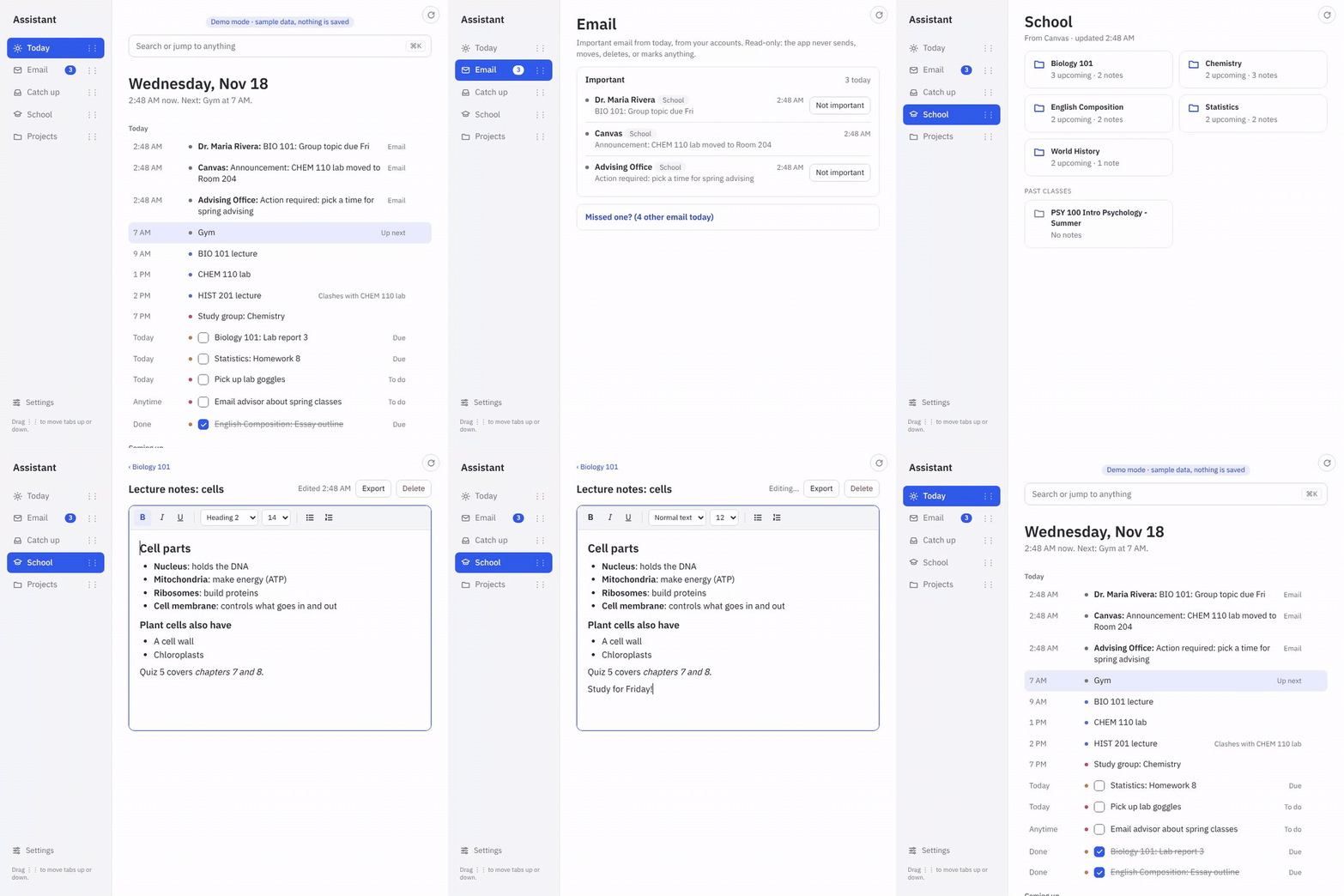
A working student organizer app for your Mac, with all of its source code, so you can make it your own. What it does: - One Today page with your classes, what's due, important email and your to-dos, in time order. - Pulls in your school calendar (Canvas, Blackboard and others), your Mac Calendar and your Mac Mail. - Mac notifications before things are due (3 days before and the morning of). - Class folders with notes, a to-do list, and a week view that shows your busiest day. - Light and dark mode. Everything stays on your Mac: no account, no server. Email is read-only. Press TRY ME to use the real app in your browser with made-up sample data. How to run it: install Python 3.13, unzip, and double-click "1 Try the Demo.command". The README walks you through the rest. It's built so you (or an AI helper) can add your own ideas on top.
Starter kit. Runs on Mac.
What you'll need
- A Mac
- Python 3.13 (free from python.org)